
Archiving Agent
for Salesforce
Unlock your historical data and prepare for Agentforce
Why Archiving Agent for Salesforce?
93%
of organizations believe that scaling AI agents in the next year will be a key source of competitive advantage.
Stalling on archiving projects because of data access concerns?
Fear of losing quick access to important data stalls archiving projects, resulting in bloated, costly, and non-compliant Salesforce environments.
Struggling to quickly locate historical Salesforce data?
Users waste time manually searching for past records, support cases, and customer history across different systems - or even within Salesforce.
Missing the ‘bigger picture’ with your AI initiatives?
Many AI agents focus on short-term, real-time data and recent interactions, which limits their ability to make strategic, multi-step decisions.
Worried about the investment required for a custom AI agent?
Building a powerful archiving agent demands significant time and investment for setup, configuration, and testing.
How Odaseva Powers Intelligent Data Archiving
View Archived Record Details
Display full details of any archived record directly in the chat interface.
Learn more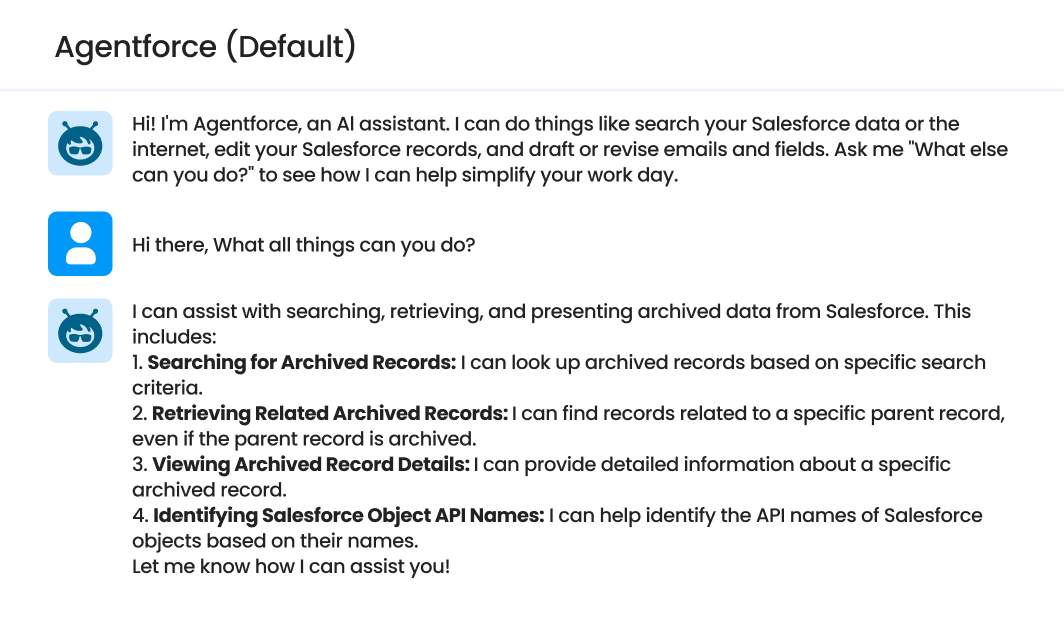
Search Related Archived Items
Identify and retrieve related archived records, files, and attachments (e.g., contacts linked to accounts, cases tied to opportunities).
Learn more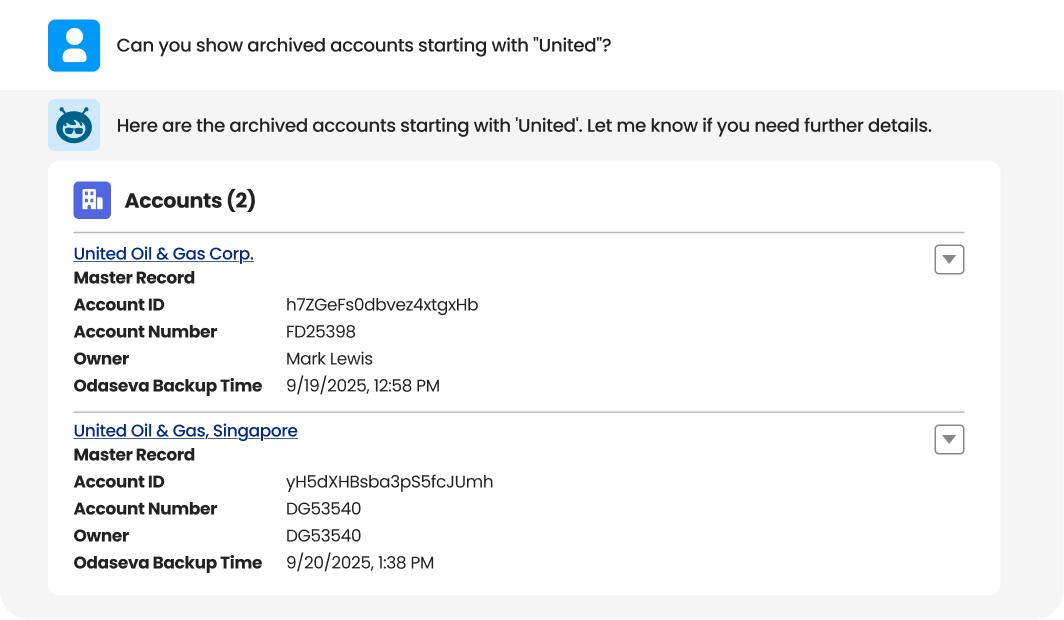
Enhanced Chat-Based UI
Present results in an enriched chat window with interactive elements like expandable sections, clickable links, and object previews.
Learn more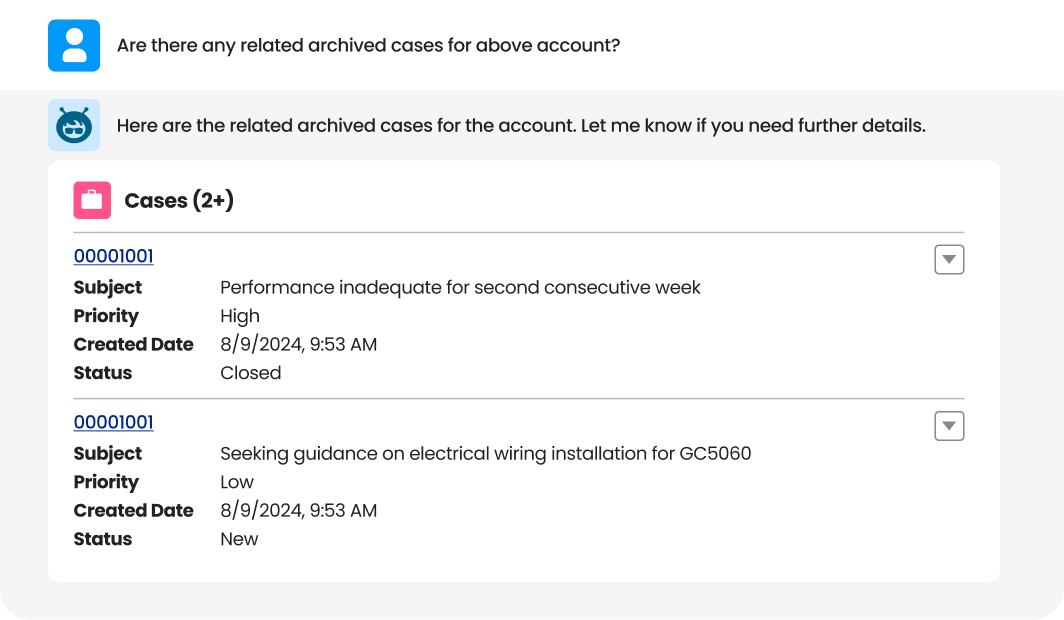
Summarize Archived Records
Automatically generate concise summaries of individual or grouped archived records.
Learn more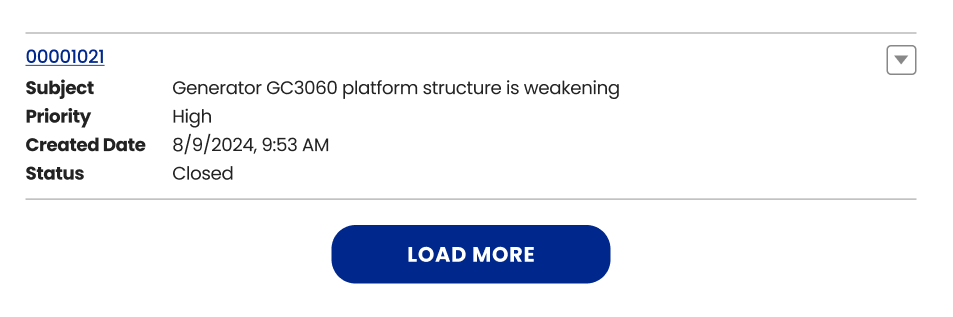
Unlock the Full Power of Your Data with Archiving Agent for Salesforce

Odaseva Archiving Agent makes it more acceptable for everyone to archive unused or infrequently-used data, enabling a more cost-effective, performant, and user-friendly Salesforce Org.
By summarizing records and providing instant historical context, your sales and support teams can better serve customers and attract new prospects.
Other Agentforce Agents can activate Odaseva Archiving Agent, enabling them to leverage historical data for improved reasoning, decision-making, and actions.
Odaseva Archiving Agent is plug-and-play, so it’s ready to help you leverage your archived data right away.
More Ways to Strengthen Your Salesforce Data
Managed Archiving Services
Data Archiving
Trusted by

















.png)









FAQs

Odaseva Data Archiving moves older or infrequently accessed Salesforce data into optimized, secure storage — boosting Salesforce performance while ensuring data remains accessible and compliant.
Yes. Salesforce data archived through Odaseva stays fully accessible based on user permissions, maintaining usability while optimizing active Salesforce storage.
By archiving targeted Salesforce data, Odaseva Data Archiving reduces active data volume, leading to faster Salesforce performance, a better user experience, and reduced storage costs.
Yes. Odaseva Data Archiving encrypts archived Salesforce data at rest with granular encryption, and supports customer-managed encryption keys.
Adopting best practices for archiving your Salesforce data is key, as archiving means deleting data from your production Org and pushing it outside. Salesforce data archiving best practices include:
- Clear Policies: Define a clear and actionable Salesforce data archiving strategy driven by retention requirements, org performance, and storage costs
- Scoping: Target records by querying object conditions such as looking at Last Modified dates or Statuses
- Data Retention: Define your data archiving retention strategy (business and compliance driven)
- Observability: Keep track of the archived records in Odaseva Analytics
- Data Accessibility: Decide what archived data can be viewed and by whom
- Data Security: Make sure your data remains encrypted whether it is in transit, in processing, or at rest in a stored archive
- Data Lifecycle: Design your preferred process to search for the exact data you want to unarchive or delete
Resources
READ ALL
6 Concepts to Archive Salesforce Data at Scale

How DoorDash Solved Performance Issues and Achieved Successful Backups with Odaseva

How Archiving Salesforce Data Solves 3 Big Problems
.png)


